Gives ⌃ ⌥ ⇧ ⌘ modifiers a second function. Tap for your own key, hold for the modifier. Any modifier, any key.
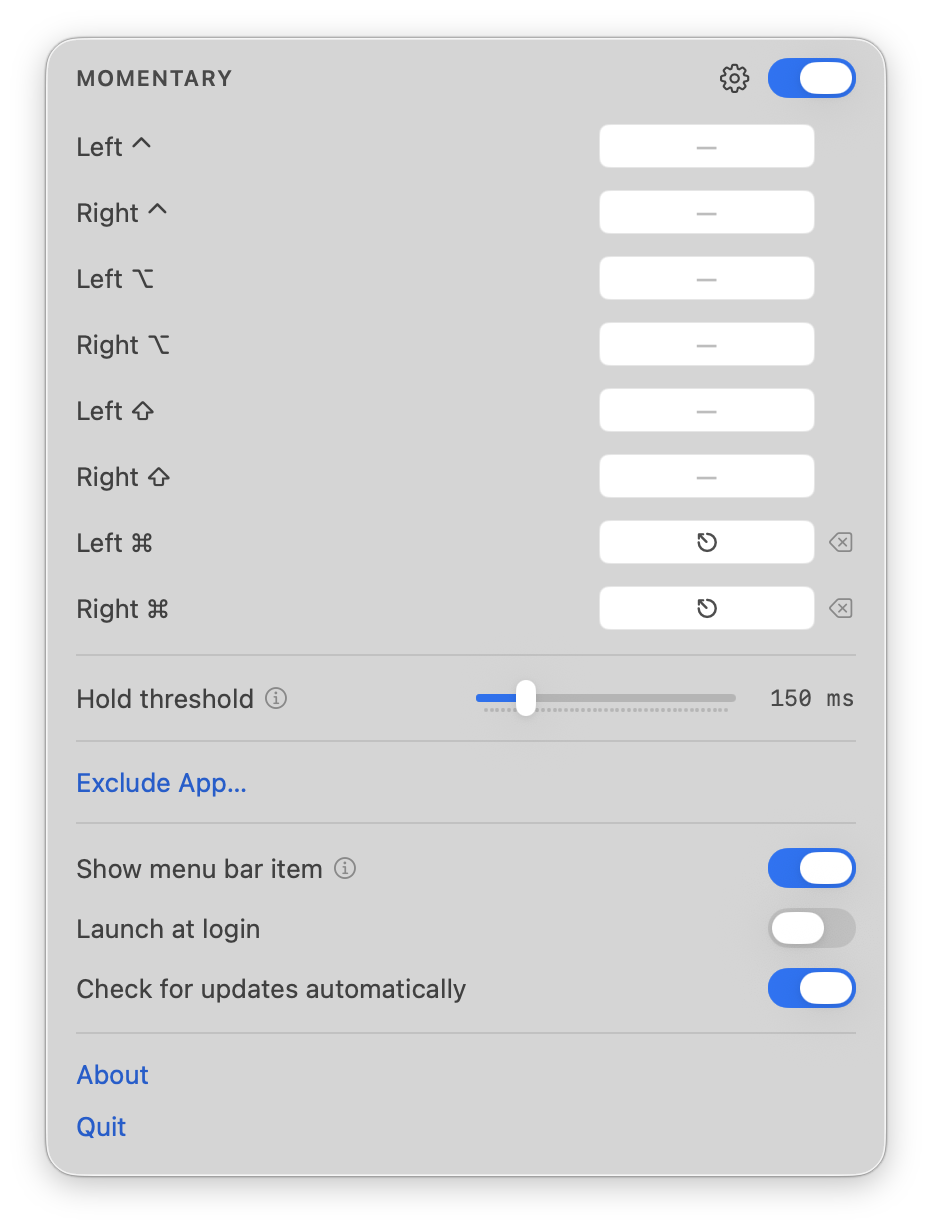
- rules
- one per modifier, left and right separately
- output
- any key or combination, recorded by pressing it
- threshold
- how long a press may last and still count as a tap
- exclusions
- apps in which no rule applies
Set up on arrival. Both Command keys send Escape out of the box — the whole reason the app exists, working before you open it.
Any key as the output. Record a single key or a full combination; the modifier keeps its original function either way.
Per-app exclusions. Name the apps that should see their keys untouched — terminals, virtual machines, remote desktops.
Key codes are never read. Only modifier state changes are inspected; every other key is counted, not identified. Nothing is stored or transmitted.
Eight independent rules. ⌃ ⌥ ⇧ ⌘, with the left and right side of each treated as a separate key.
The threshold is yours. Set what counts as a tap, in milliseconds, and the timing adapts to how you actually type.
Installs as a single app. No driver and no system extension; removing it is deleting it.